Robot Overlord 3
How to use the Serial Interface
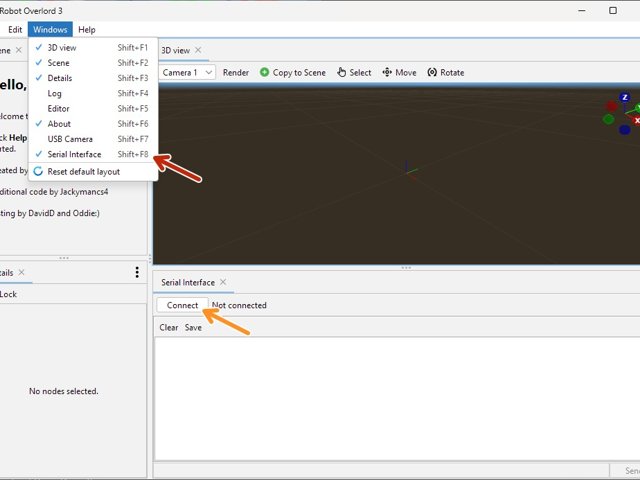
The Serial interface is a powerful tool for directly talking to devices over USB or TCP/IP.
Step 1 Find and Connect
Click the large image to open full size.
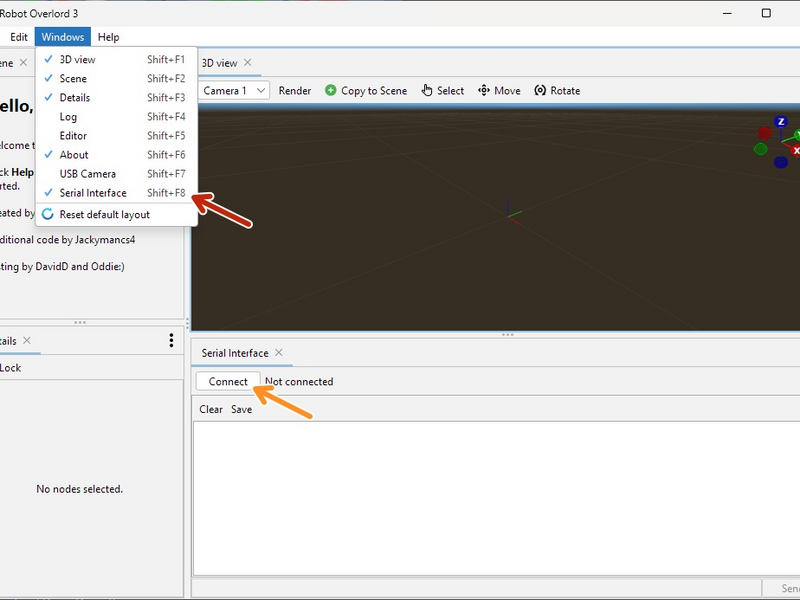
The Serial Interface can be opened from the Windows menu.
To connect to a device, click the Connect button.
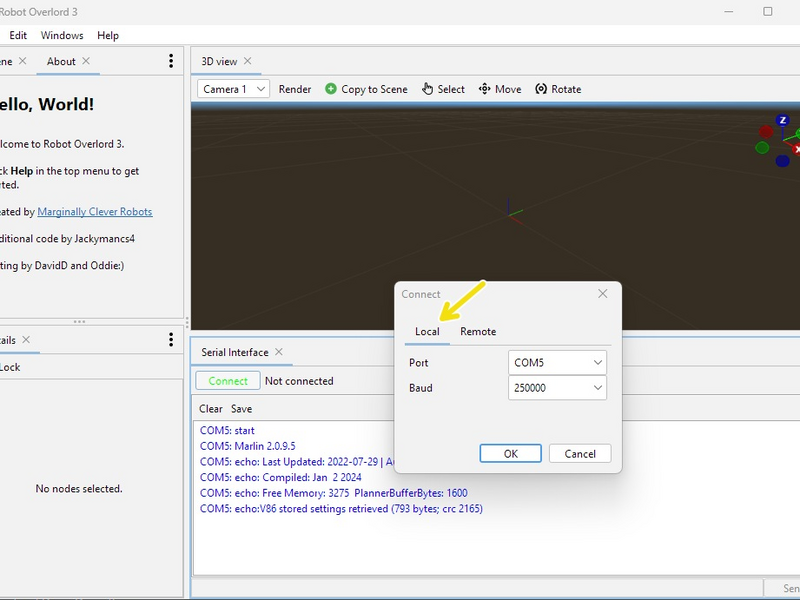
For USB, choose Local, your COM port, your Baud rate, and then click OK.
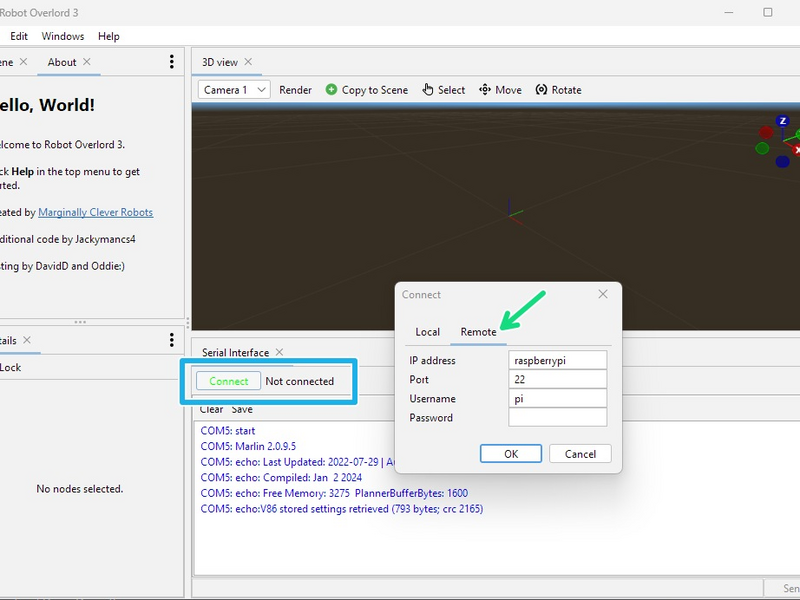
For TCP, choose Remote and fill in your IP address, Port number, username, and password.
If the connection is successful the Connect button will change to Disconnect and Not Connected will change to the COM port or IP address.
Step 2 Send and Disconnect
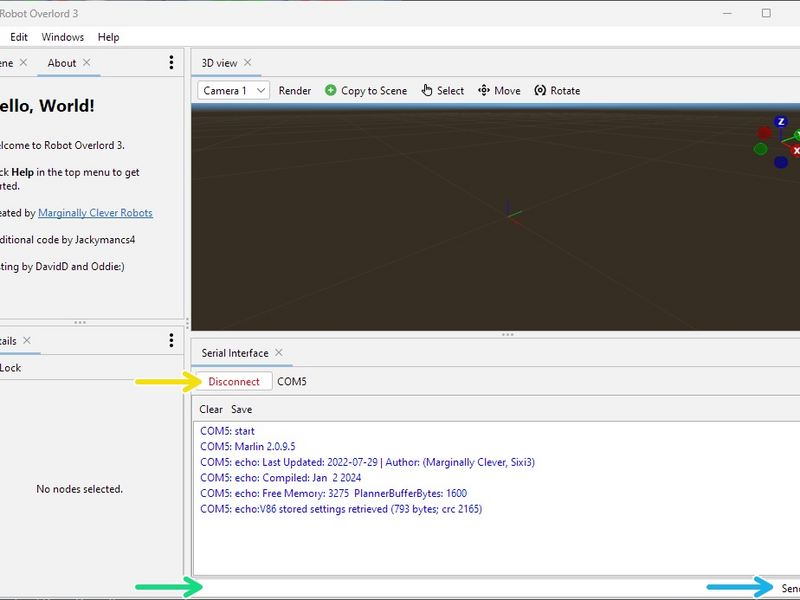
Click the large image to open full size.
Type in the message field at the bottom.
Press enter, return, or the Send button to deliver your message.
- Note:
You can press up and down to go through your history of sent messages. The history is 100 items long.
- Note:
You can click in the conversation window to copy a line to the message field.
Disconnect any time by pressing the Disconnect button.
- Warning:
Closing the tab does NOT close the connection.
Complete
Now you know everything there is to know about connecting to a real device in the real world with your real program. Use this power wisely~!