Archive for July, 2009

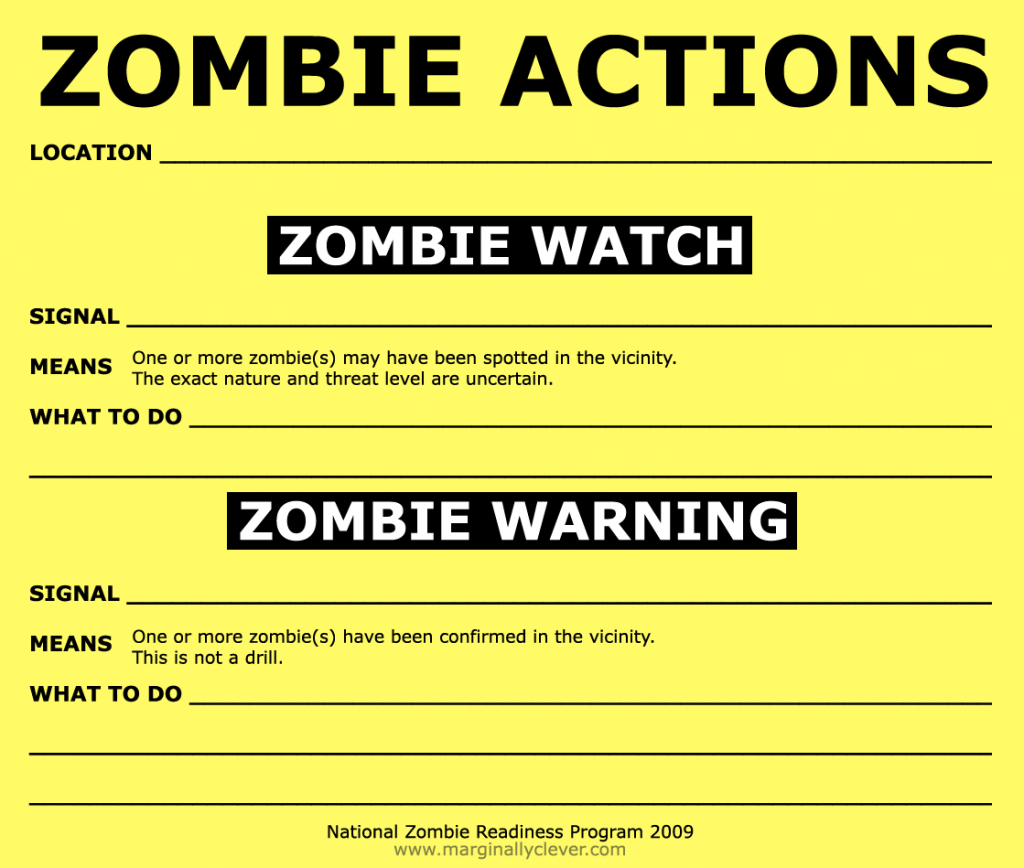
Stay Alert, Stay Alive!

Friday, July 31st, 2009

zombie-readiness

  1. Download the larger version
  2. Print & fill out
  3. Post somewhere important (school, govt building, hospital, etc)
  4. Send in photo evidence.
Share on Facebook

System Administrator Appriciation Day

Friday, July 31st, 2009

http://www.sysadminday.com/index2009.html

Share on Facebook

Downtown watergun fight, high noon.

Tuesday, July 28th, 2009

I’ve had about enough of this heat. Join me, won’t you? Bring a water gun and meet me on the north-east side of the Vancouver Art Gallery for a little noon relief.

Before they had waterguns, watergun fights were a lot less fun.

Share on Facebook

Busy, busy, busy

Tuesday, July 21st, 2009

Wow! So much work right now keeping me busy. I want to share it with you all so much but I can’t just yet.
I don’t want to forget about this site so please, give me a little creative push. Do you have a simple game idea in mind you’d like to see working? Tell me and I’ll prototype it for you. Want a tutorial? Just ask.

Share on Facebook

Fonzie Scheme

Friday, July 10th, 2009

I got suckered this morning and lost everything!  It’s worse than the Nigerian scam or the Spanish Prisoner!

http://www.marginallyclever.com/fonzie_scheme/

Share on Facebook

Online Shopping Readiness Test

Thursday, July 9th, 2009

Have you got your driver’s license?  Have you got your Shopping cart license?  then you need to take the test!

http://www.marginallyclever.com/shopping_test/

Share on Facebook

Easier PHP forms, part 3

Monday, July 6th, 2009

In Part 1 I showed you how to simplify building basic forms in PHP.

In Part 2 I extended this to show you almost every input type you’d ever want.  (For the full set, hire me!)

Now in Part 3, let’s add some friendly javascript to make sure your users input valid data.

I shouldn’t need to point out that Javascript isn’t enough.  If, for any reason, javascript doesn’t run then all your tests will be ignored and bad data can be input.  Injection attacks can also circumvent javascript with ease.  There is no way to avoid PHP testing server-side, but javascript is friendly to the average user and saves your server bandwidth.

The first thing we’ll need is to identify where we’ll need to add tests.

  • make sure this field isn’t empty
  • urls in the right format
  • emails in the right format
  • select must be/must not be a certain value
  • custom tests

In every case we’ll need some javascript in the <head> section of the page. Something like…

function test_form_X() {  // where X is the name of a form, in case there are multiple forms on the same page
  ok=true;
  msg='';
  first=1;
  $('#X .form_item').removeClass('error');  // jQuery/CSS magic!
 
  ...
  // let's assume we have a form element called form_element_N.
  if(is_form_element_N_ok()==false) {
    ok=false;
    msg+='Form element N is no good!\n';
    if(first) {
      form_element_N.focus();
      first=0;
    }
    // every input/select/textarea is inside an input_item inside a form_item.
    $('#form_element_N').parent.parent.addClass('error');  // jQuery/CSS magic!
  }
  ...
 
  if(ok==false) alert(msg);
  return ok;
}

The trick is twofold: knowing which is_form_element_N_ok() to put in.  First, I take that whole inner part of the test and put it in a function by itself.

function add_form_error($name,$message) {
  $str ="      if(first) {\n";
  $str.="        first=0;\n";
  $str.="        \$('#$name').focus();\n";
  $str.="      }\n";
  $str.="      \$('#$name').parent.parent.addClass('error');\n";
  $str.="      ok=false;\n";
  $str.="      msg+='".str_replace(array("'","\'"),$message)."';\n";
  return $str;
}

so let’s create our first test. We’ll have to update create_form_start().

// Create a javascript error message for fields that can't be left blank.
function add_form_test_required($name,$label=null) {
  $test="    if(\$('$name').value==null || \$('$name').value.length==0) {\n"
       .add_form_error($name,"$label is required.\n")
       ."    }\n";
 
  add_form_test($test,$name);
}
 
function add_form_test($test,$name) {
  global $forms_to_validate,$last_form_name;
 
  $forms_to_validate[$last_form_name].=$test;
}
 
function create_form_start(name='form1',$classname='form',$action='',$method='post',$target='') {
  global $forms_to_validate,$last_form_name;
 
  $forms_to_validate[$name]='';
  $last_form_name=$name;
  return "
&lt; form id="$name" class="$classname" action="$action" enctype="multipart/form-data" method="$method"&gt;\n";
}

So where do these tests go? Well, when we’re ready to echo the page, we call the following method

function form_header() {
  global $forms_to_validate;
 
  echo "  <script type="'text/javascript'"><!--mce:0--></script>\n";
}

So what does this mean? It means we can have our forms built in a few lines of code.

$body=create_form_start();
$body.=create_form_text('name','Name','','Your Name');
$body.=create_form_password('user_pass','Password','','Your Password. <a href="forgot.php">Did you forget your password?</a>');
$body.=create_form_required('name','Name');

There is nothing stopping us from writing a test inside create_form_password that checks the password is a certain length, or from adding a “confirm password” field and checking they are both the same. This same technique can be extended in any way you please.

As an interesting aside, HTML5 supports URLs and emails natively – the tests are built right into the web browser. No need for javascript!

Share on Facebook

canvas library, game improvements

Friday, July 3rd, 2009

Colleen’s game got slower and slower the longer you played it.  I found the leak and now it runs at a consistent speed.  Both games have improved clock calculations – I’m using setTimeout(variable) instead of setInterval(static).  The framerate is still garbage but I hope that’s just because canvas is still so new they haven’t figured out how to make it run fast.

Yes, that’s right… it’s Mozilla’s problem… my code is puuuuurfeeect…. :P

Share on Facebook

Firefox canvas javascript oddities

Thursday, July 2nd, 2009

I’m running a simple animation at 30fps in game. I have noticed several irregularities.

Somewhere in the pipeline the program is allocating and then freeing as much as 100mb at runtime, over and over, despite my attempts to minimize all memory thrashing. local variables are the only things being created/destroyed once the game has begun and none of them are variable type objects (except for some printed strings)

Somewhere in the pipeline the Firefox browser would rather drop frames (not update the canvas) than slow down its calculations. Given that I am not informed of this decision I can’t tell my program to stop calculating how to draw the picture. I have personally seen this lead to timeout warnings on long operations.

What does this mean? Avoid doing a lot of calculations to update your canvas. Avoid memory thrashing as much as possible. If you’re going to make a game make it a turn-based game with very few animations OR make it a very simple game with few moving parts. I wanted to make a Robotron/SmashTV/Mutant Storm kind of game but that’s a no go for now. 3D rendering? A couple orders of magnitude faster and then we might be ready for DOOM.

Share on Facebook

HTML 5 Canvas Colleen’s Game (bubble bobble/snood clone)

Thursday, July 2nd, 2009

Did you install Firefox 3.5? Then you can play Colleen’s Game right now, written by yours truly.  In the near future you’ll find more Canvas samples right here.

This game was considerably more work – it took almost 3 times as long to get working.  Javascript thrashes your RAM like crazy so don’t be surprised if you see some unexpected slow downs.

Share on Facebook